What we’re building toward
One system under the whole business.
We are building the infrastructure a real estate developer runs on: operations, projects, sales and presentation, connected in one place.
It is set up around your projects, your team and your market, not handed over as a template.
It is built so you put in less and get far more out.
It is in the name. R.E Leadify re-leads how real estate developers operate.
We run the operation. You run the room.
Our system and our team carry the work around the sale. Your people keep the relationships and the close.
Read it like a building.
Operations is the foundation. Projects, pre-sales, post-sales and marketing operations are the floors. Presentation is the façade, and the assistant layer is the wiring that runs through every floor.
45 parts of one system
7 running today + 9 set up by our team today + 29 in the pipeline = 45 in all
01 / 07
Your business on one screen, with less chasing.
- Know what is happening now from one screen: a dashboard with live countsRunning today
- Wake up informed: a short daily brief by email with new enquiries and coming visitsRunning today
- Stop living in sheets: our team cleans yours and brings them into one placeSet up by our team today
- Start with a plan: we walk through your operations and sales on a call, and you keep the written planSet up by our team today
- See your real progress: your own “before” numbers next to “now”, with a blank where a number isn’t knownIn the pipeline
- Measure what matters to you: KPIs (the few numbers you run the business by) agreed with you and trackedIn the pipeline
- Make the way you work repeatable: SOPs (written step-by-step procedures) for each departmentIn the pipeline
- Take routine internal work off your people: automations (repeat steps the system does once a person has set the rule). Nothing reaches a buyer without a person sending itIn the pipeline
- Keep it running without us in the room: your team taught to use itIn the pipeline
The building and the business in the same picture.
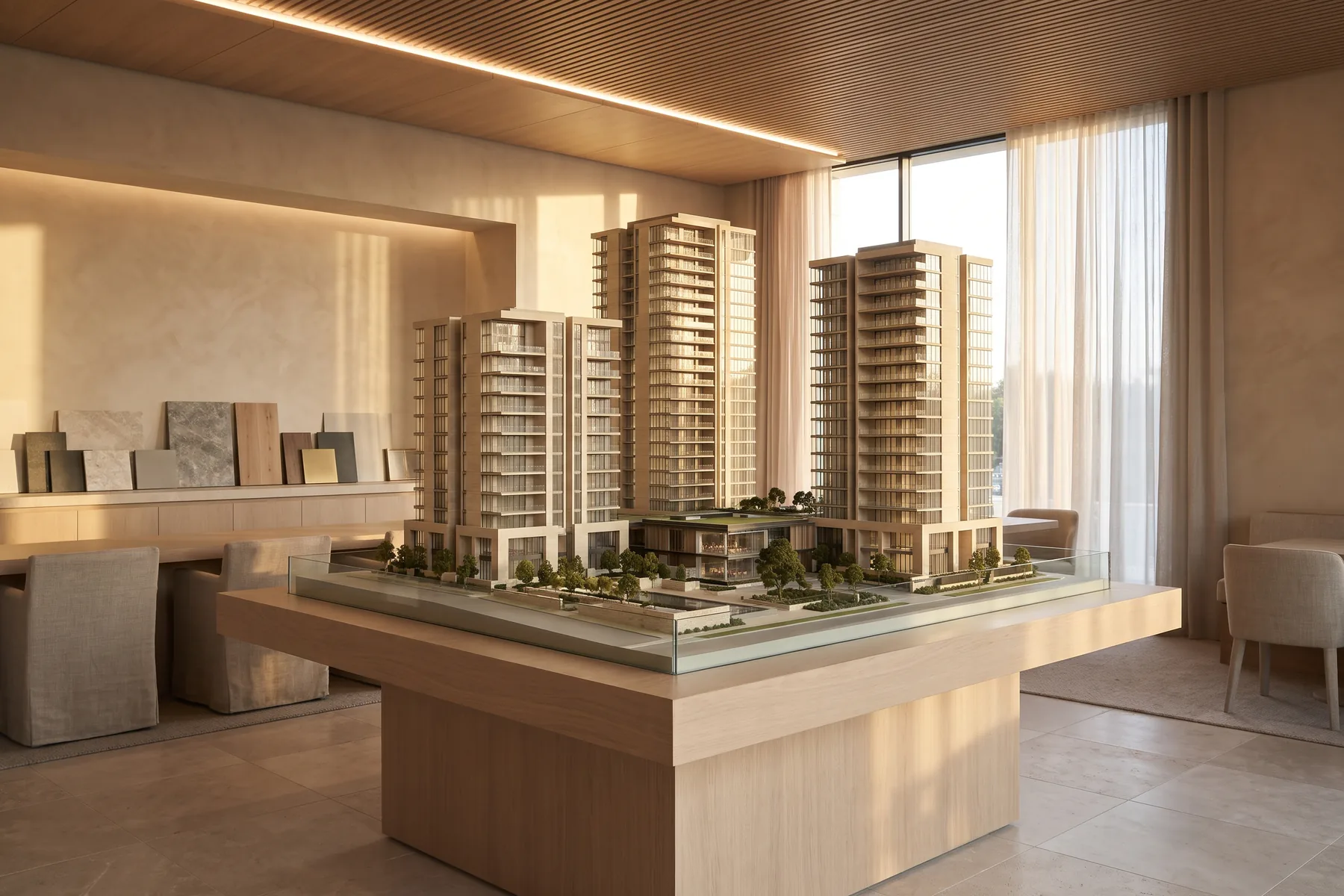
- See the whole project at a glance: an interactive 3D model drawn from your own inventoryRunning today
- Hear about progress without asking: construction milestones in a weekly brief written by our teamSet up by our team today
- Track the build on the building: a project screen with milestones against each towerIn the pipeline
Every enquiry has an owner and a next step.
- Capture every enquiry cleanly: a public enquiry form for each projectRunning today
- Lose nothing: every enquiry on one list, each with its own recordRunning today
- Read the week at a glance: a sales pipeline and a visit calendarRunning today
- Catch drift early: enquiries with no next step are countedRunning today
- Buyers get a real reply: our team answers in working hours, from facts you approveSet up by our team today
- Closers meet serious buyers: our team makes a qualification call firstSet up by our team today
- Quiet buyers get a reason to come back: follow-up written by our teamSet up by our team today
- Booked visits turn into held visits: our team books, then confirms the day before and on the daySet up by our team today
- Your closer walks in briefed: a one-line brief with each handover to themSet up by our team today
- Buyer messages land inside the system: WhatsApp connected to the enquiry recordIn the pipeline
- The visit feels looked after: a visit pass with gate, parking and who meets themIn the pipeline
From booking onward, nothing falls between people.
- Your booking and payment sheets kept clean by our teamSet up by our team today
- Click a unit, see its buyerIn the pipeline
- See who has paid, who is due and who is overdue, from your own payments sheetIn the pipeline
- Payment reminders from templates you approve; a person approves each oneIn the pipeline
- Paperwork one click from the unit, in your own folderIn the pipeline
- Handover stages on each unitIn the pipeline
We show payment status and send reminders a person approves. We don’t do collections or accounting.
Marketing read against visits and bookings, not clicks.
- Know which campaign and channel each enquiry came fromIn the pipeline
- Read marketing spend against held visits and bookingsIn the pipeline
- Send a buyer the project’s details through one link from the systemIn the pipeline
- Plan a launch against real inventory: what is released, what is held, what is leftIn the pipeline
What a project needs in order to sell, made in one voice.
- The project websiteIn the pipeline
- The brochureIn the pipeline
- The project book: the full story of the project in printIn the pipeline
- Print that opens into 3D: point a phone at a page and the building stands on it (augmented reality, a 3D picture placed over the camera view)In the pipeline
- The launch presentation: the project’s story, built for the roomIn the pipeline
- Copy and drafts for every assetIn the pipeline
- Brand, positioning and presentation guidance for the projectIn the pipeline
- Social media guidance only: direction and drafts for your own team to postIn the pipeline
It starts with the building you can already click.
We don’t manage social media accounts. We give your team the direction and the material.
Ask your project a question. Get the answer from your own data.
- Ask in plain words: “which units in Tower B are still open?” answered from your own dataIn the pipeline
- Connections to your systems, read-only first (the assistant can look, not change)In the pipeline
- Skills built from your SOPs, so drafts follow your way of workingIn the pipeline
- Drafts prepared for a person to sendIn the pipeline
- Connections (MCP)
- A standard plug that lets an AI assistant read your own systems, so its answers come from your real data, not guesses. MCP stands for Model Context Protocol.
- Skills
- Saved know-how. Your way of doing a task, written down once, so the assistant does it your way every time.
Nothing goes out in your name unless a person sends it from words you approved.
- Running today: It works in the product now.
- Set up by our team today: Our people do it for you now, by hand.
- In the pipeline: Being built. No date.
Shown on a sample project until our first clients are live. Status changes as each part goes live. Nothing here carries a date.
After a point, every business is presentation.
The biggest companies organise their year around a few presentations.
A developer lives this more than anyone, because off-plan homes are sold before the building exists.
What the buyer actually buys is the brochure, the model, the gallery and the launch.
So we are building presentation into the same system that runs the project, so what a buyer is shown always matches what is true on the building.
Start with one project.
A call on your operations and sales. You keep the plan.
Book a free consultation